
CV screening, end to end
Nội dung này chưa có bản dịch Tiếng Việt, hiển thị bằng Tiếng Anh.
Lumenvale Software’s recruiter has one job description and ten CVs to compare fairly, with no easy way to check a shortlist’s reasoning against the record. iMBrace turns the job description into an agreed set of criteria, scores every CV against them with the CV’s own words as evidence, and hands back a ranked shortlist the recruiter can question and trust.
What happens, step by step
Here is the story, start to finish:
- The recruiter starts with a job description and ten CVs for a Customer Success Manager role.
- DocIQ, iMBrace’s document reader, reads the job description and pulls out what it asks for.
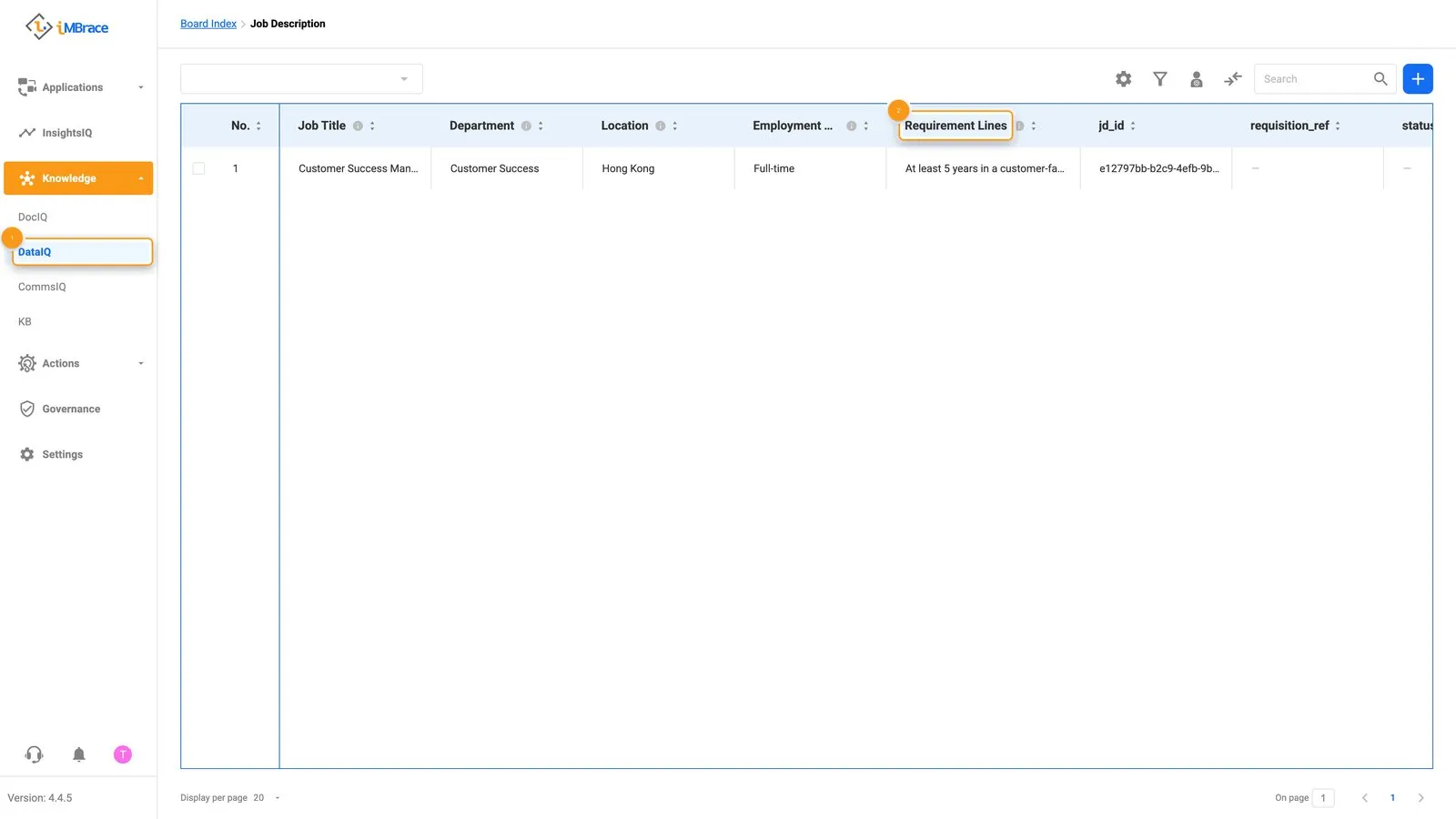 1 Knowledge > DataIQ in the sidebar. 2 The job description’s requirement lines, pulled out as a field.
- An agent called the Criteria Architect proposes a set of screening criteria from those requirements, each one showing where it came from.
- The recruiter reviews the criteria on a board - a structured table in DataIQ - ticks the ones to use, and clicks Save.
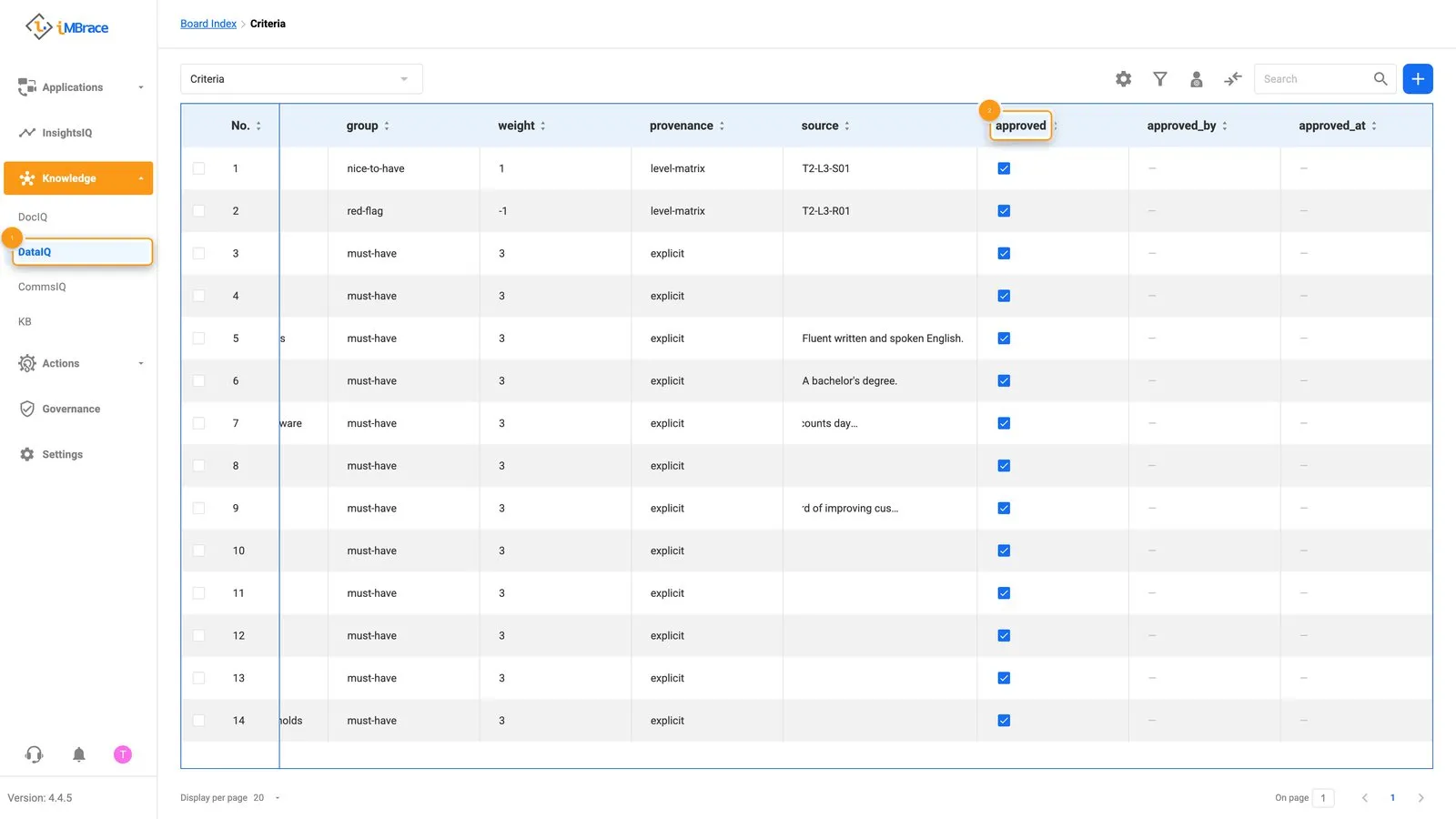 1 Knowledge > DataIQ in the sidebar. 2 Every criterion approved, ticked in the approved column.
- The ten CVs go in next. Each becomes its own record, with the candidate’s work history and education read out in full.
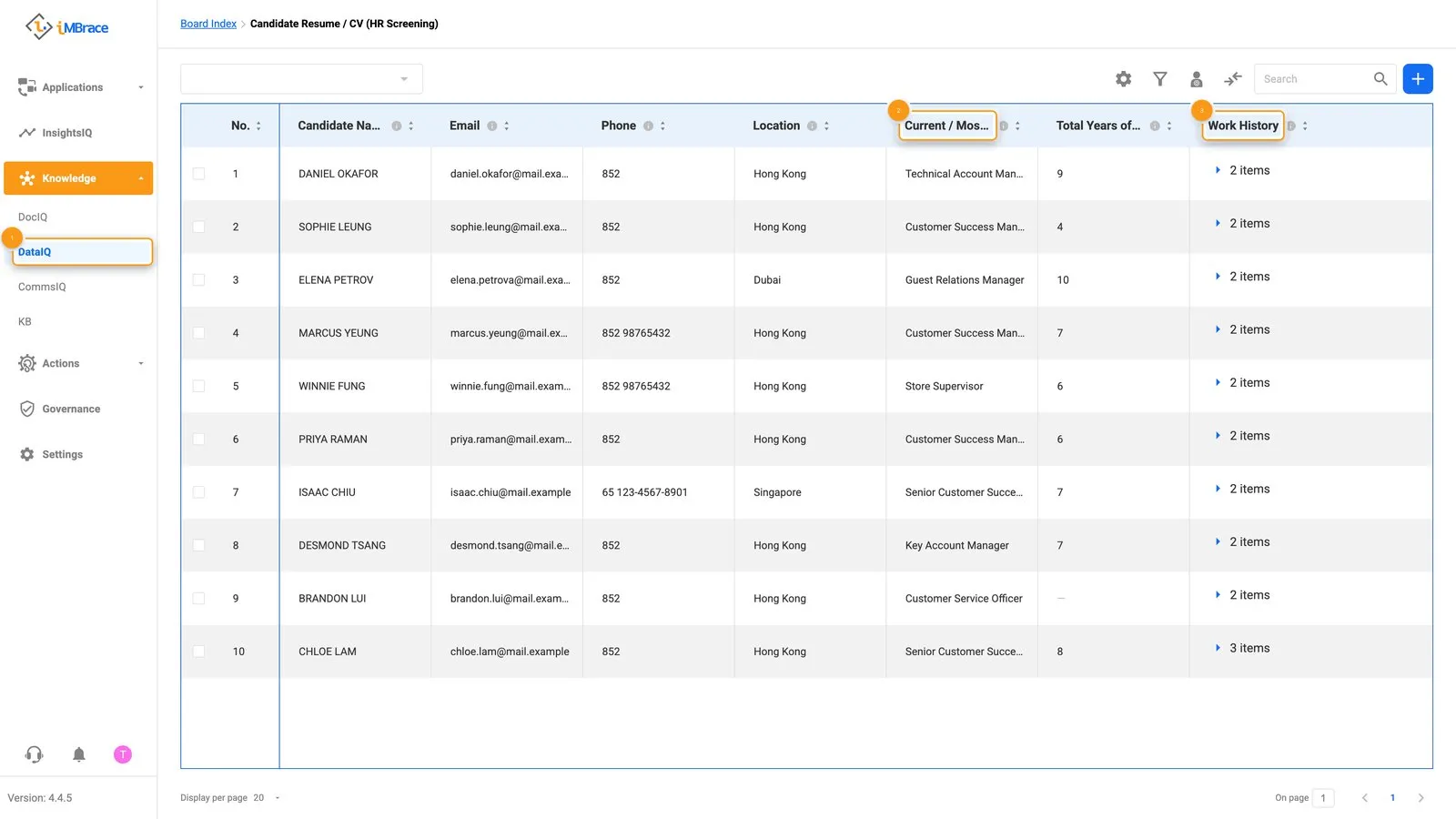 1 Knowledge > DataIQ in the sidebar. 2 A candidate’s record with fields like Current / Most Recent Title. 3 The same record’s Work History field.
- A second agent, the Evidence Assessor, scores every CV against the approved criteria, quoting the exact line in the CV that supports each score.
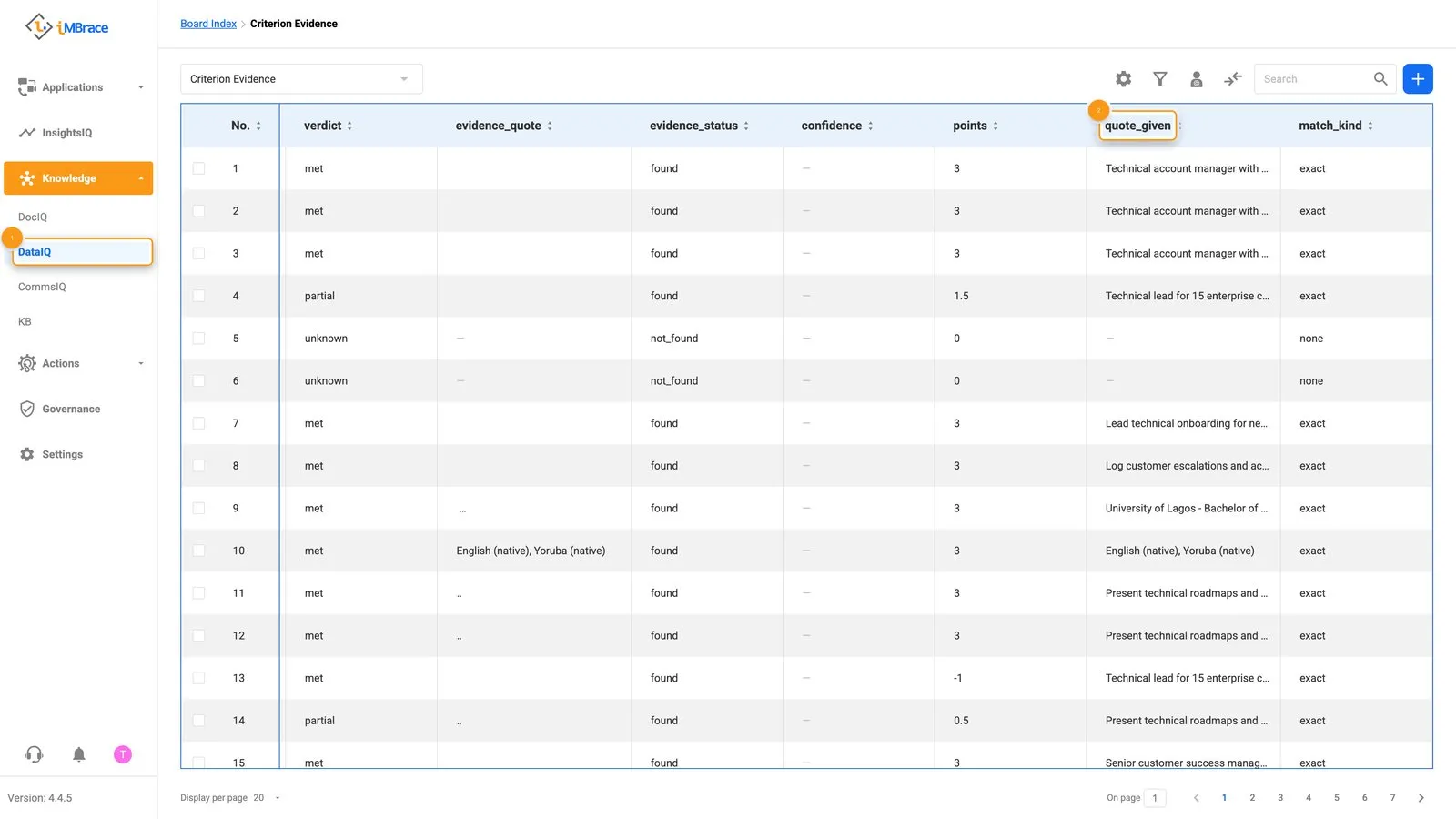 1 Knowledge > DataIQ in the sidebar. 2 The quoted CV line behind a criterion’s score, in the quote_given column.
- The scores land on the Candidate Scorecard, ranked from strongest fit to weakest.
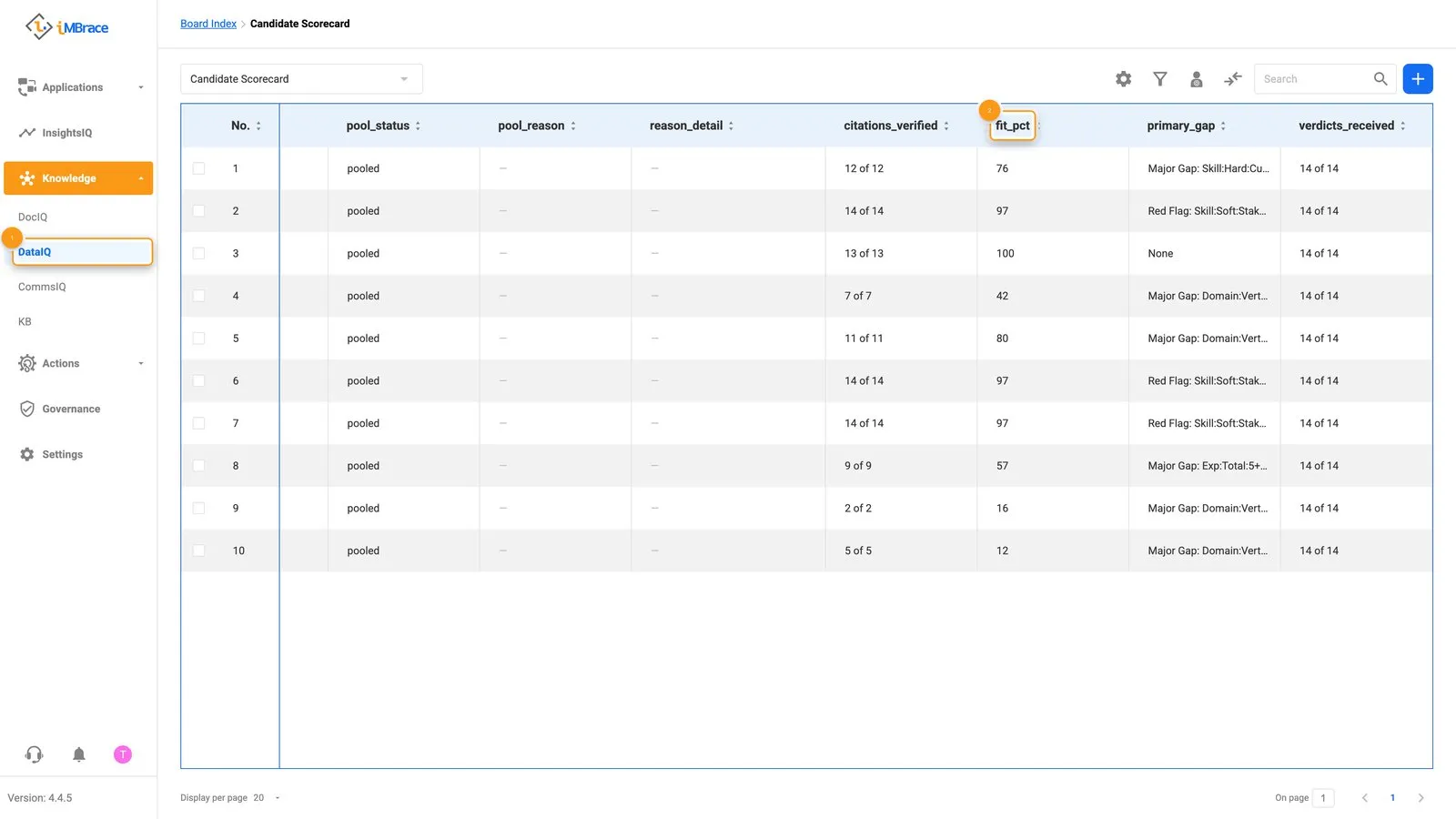 1 Knowledge > DataIQ in the sidebar. 2 Each candidate’s fit percentage, in the fit_pct column.
- The recruiter asks a third agent, the Screening Analyst, in InsightsIQ - iMBrace’s chat that answers with its source - for the shortlist, and why one candidate ranks where they do. The answer arrives with the CV quotes behind it.
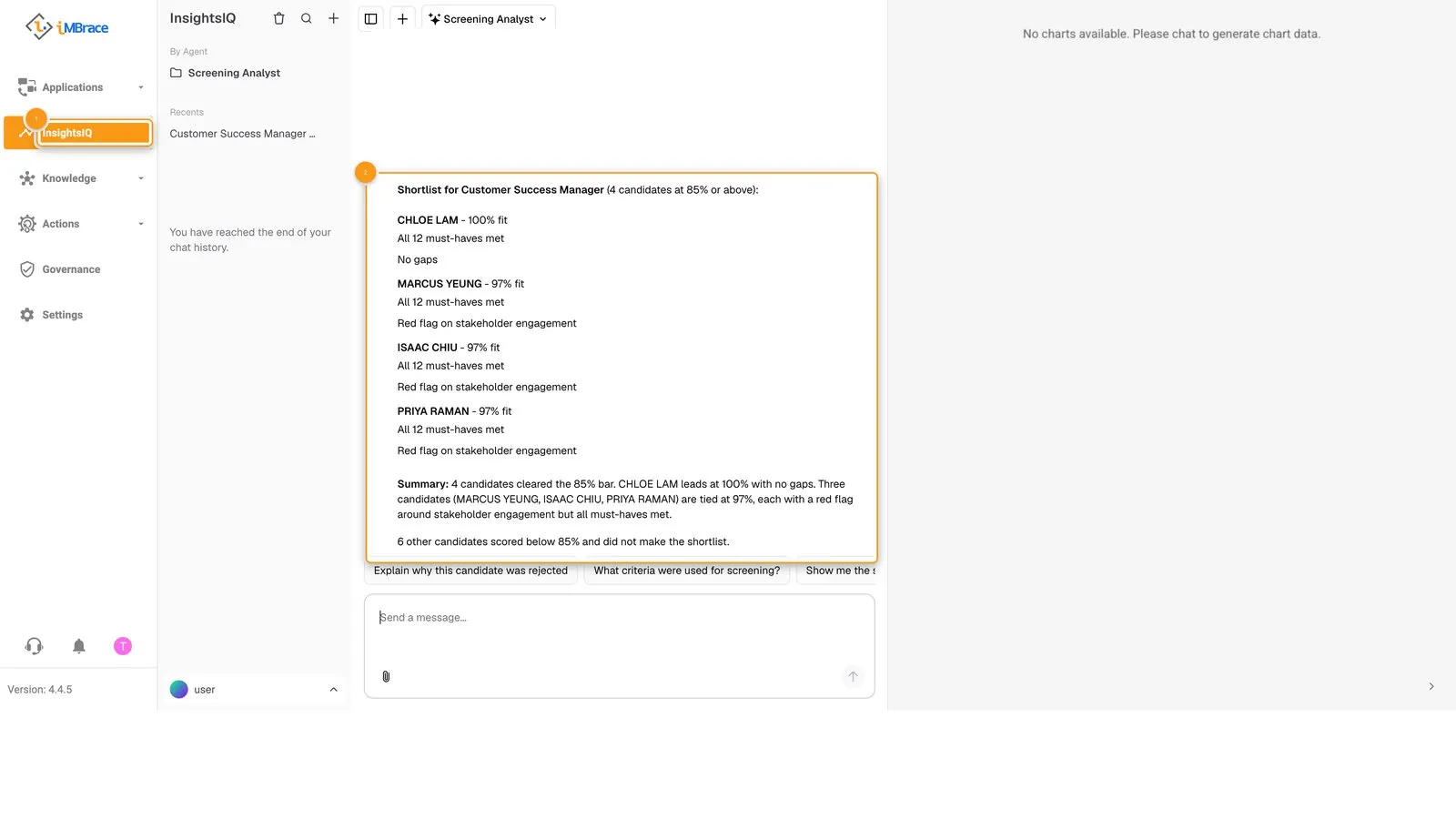 1 InsightsIQ in the sidebar. 2 The Screening Analyst’s ranked shortlist answer.
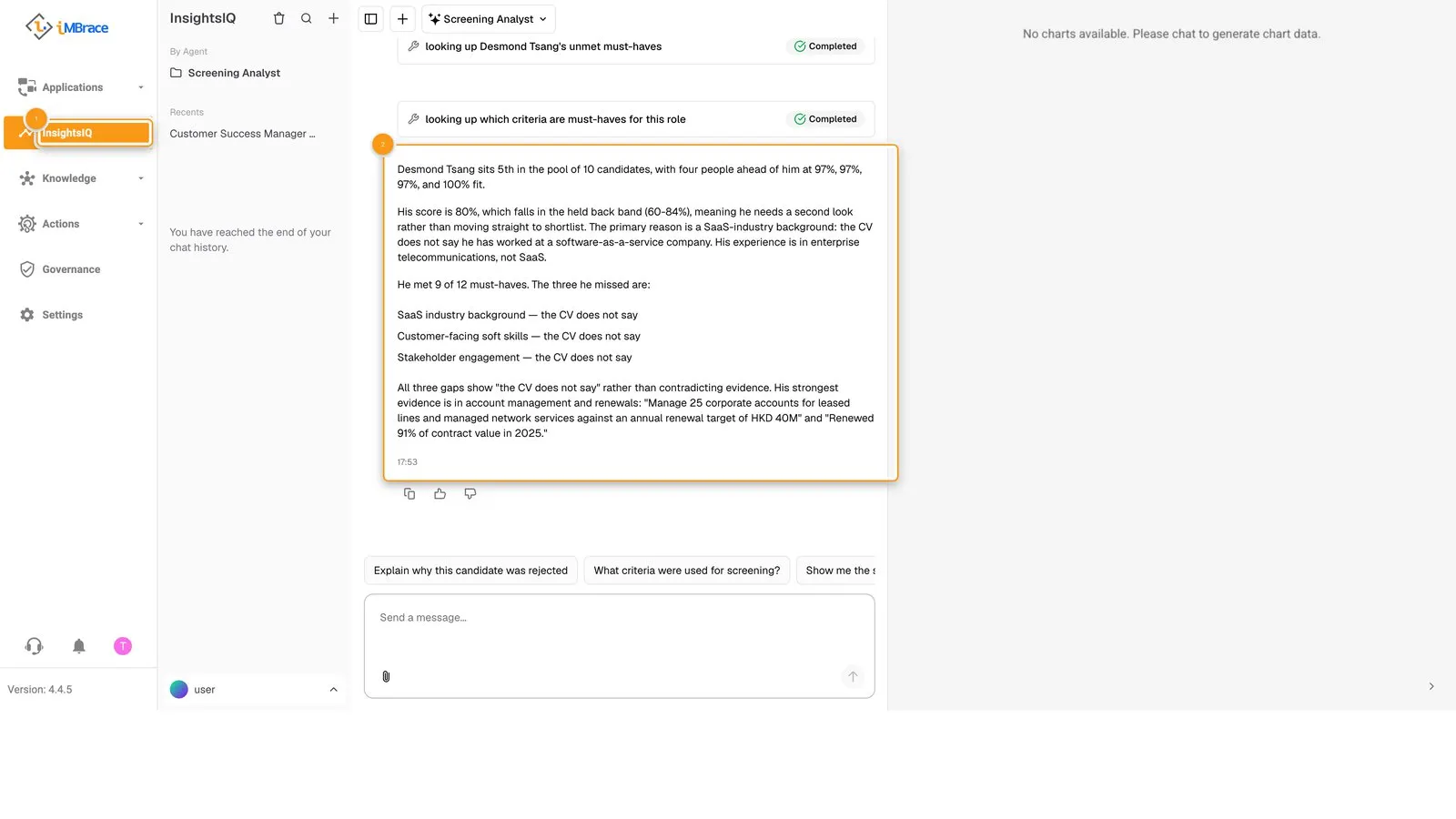 1 InsightsIQ in the sidebar. 2 The Screening Analyst’s answer on why one candidate ranks where they do.
Where people decide
The recruiter approves the criteria before a single CV is scored: ticking each one and clicking Save on the Criteria board. It sits there, before scoring starts, so every CV is measured against a standard the recruiter has actually agreed to, not one an agent assumed on its own behalf.
What you can change without code
The criteria a CV is scored against, and the level a candidate needs to reach, are both rows on a board.
| Row | What it controls |
|---|---|
| Each criterion on the Criteria board | What a CV is compared against - must-have, nice-to-have, or red-flag - and whether the recruiter has approved it. |
| Each line on the Level Expectations board | What meeting a level looks like for a given track, so a criterion can point at a level instead of a fixed rule. |
Add, edit or retire a row, and the next CV scored reads the change - no rebuild needed.
Try it
If you are a partner, your practice organisation arrives with CV screening already installed, using Lumenvale Software’s job description and CVs, and the demo script in your partner kit walks you through running it live, from criteria approval through to the shortlist. Anyone else can ask their iMBrace contact to see it running on an organisation of their own.