
Sales quoting
Nội dung này chưa có bản dịch Tiếng Việt, hiển thị bằng Tiếng Anh.
Quillmoor Components’ sales team quotes industrial fasteners and fittings from a large catalogue, and a discount that pulls the margin below Quillmoor’s floor needs a manager’s word before anything goes out. iMBrace turns a plain-words request into a priced quotation. When the margin is under the floor, the work stops and waits for the manager, who answers from an email. The moment they do, the same work carries on and sends the finished documents to the person who asked.
What happens, step by step
Here is the story, start to finish:
- A sales person asks the agent, called Sales Quoting, for a quotation in plain words: the customer, the products and the quantities. They can add their own email address, and the finished documents come to it; without one, the documents go to the sales desk.
- The agent reads SQ Catalogue and SQ Pricing Rules, two boards - structured tables in DataIQ - that hold Quillmoor’s products and its pricing rules.
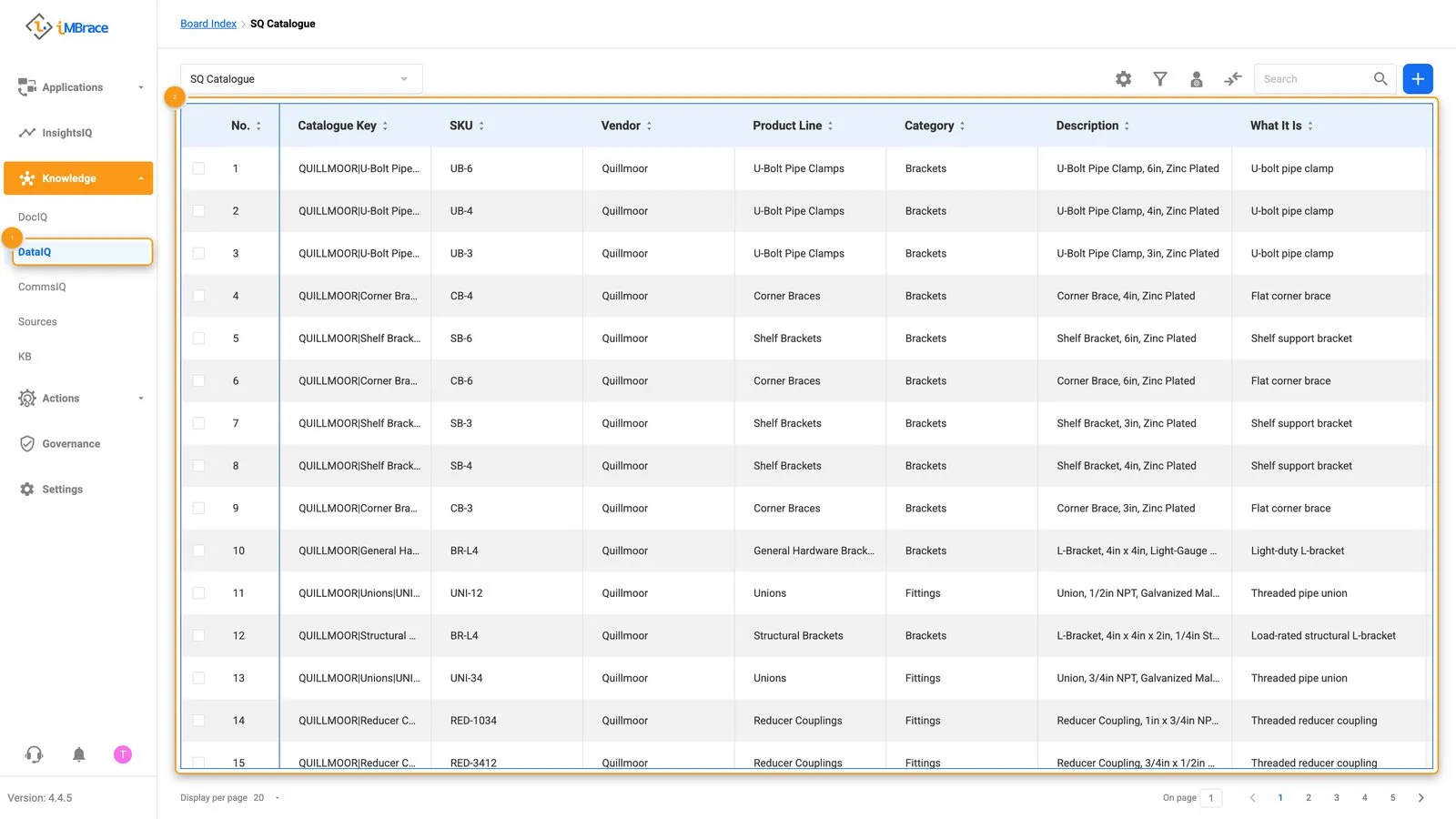 1 Knowledge > DataIQ in the sidebar. 2 The SQ Catalogue board, Quillmoor’s products and their SKUs.
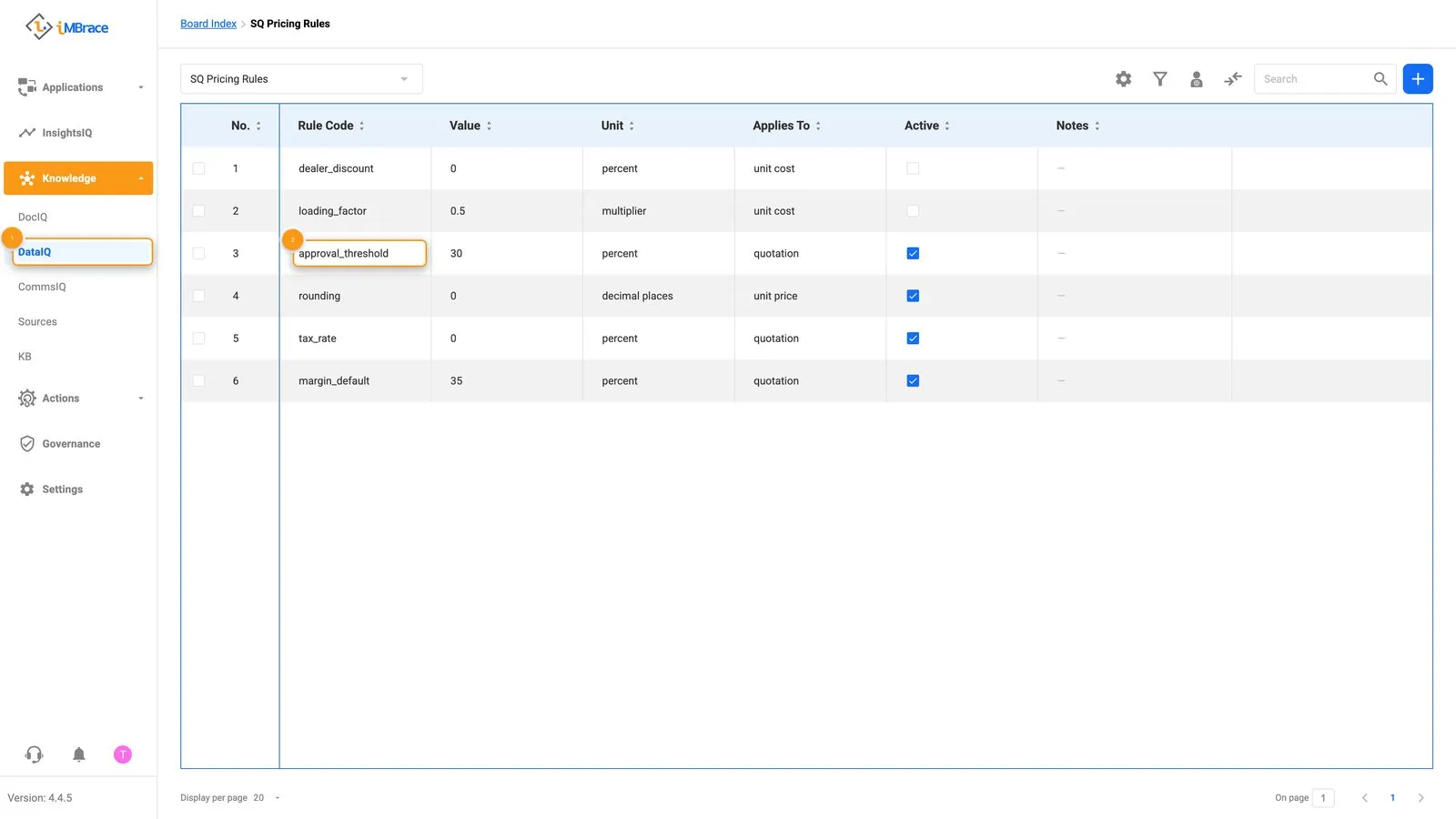 1 Knowledge > DataIQ in the sidebar. 2 The discount rule row, in the approval_threshold field.
- It works out the quotation and writes it, line by line, onto the SQ Quotations and SQ Quotation Lines boards.
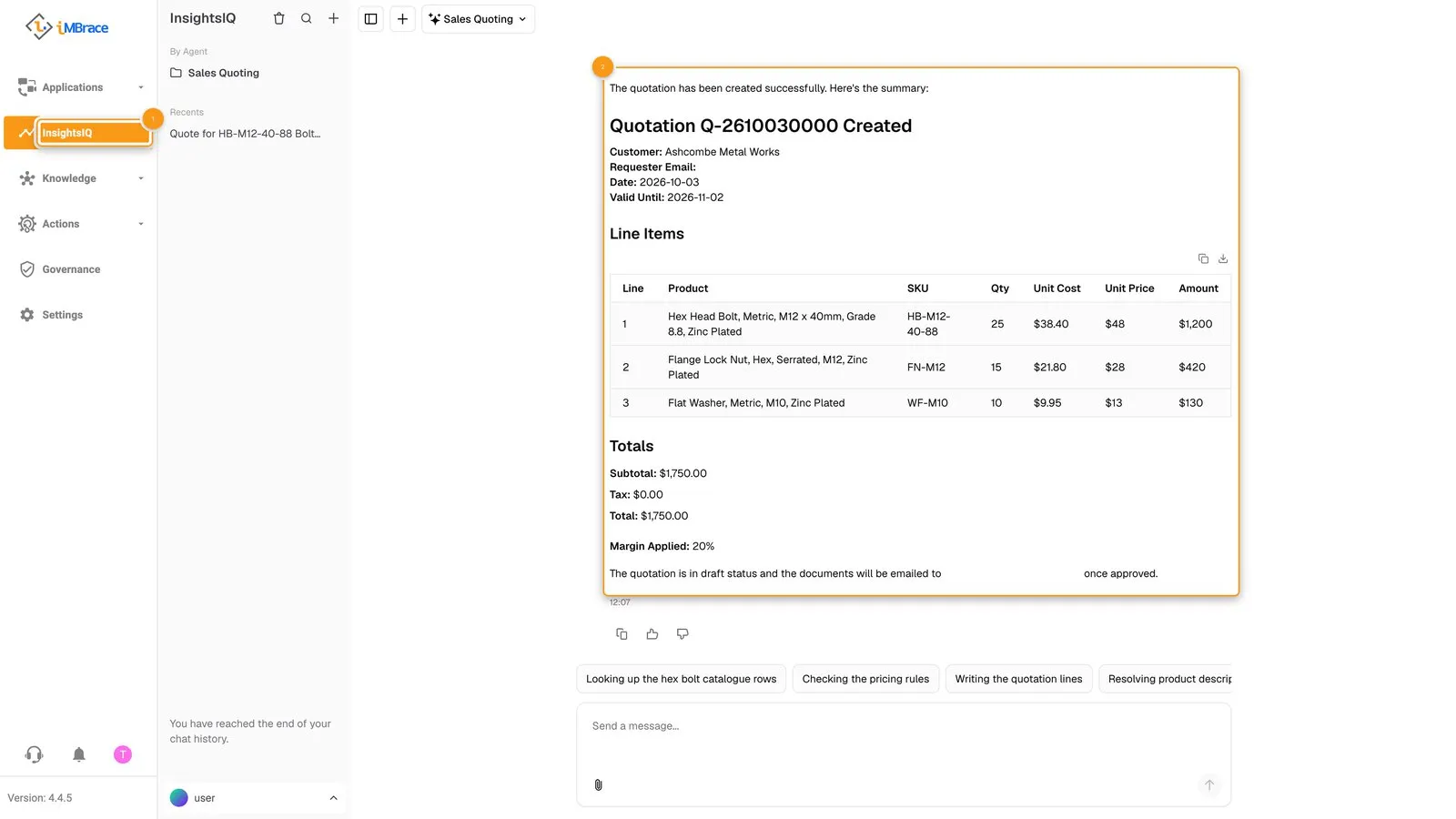 1 InsightsIQ in the sidebar. 2 The Sales Quoting agent’s answer: the new quotation, priced line by line.
- iMBrace then checks the margin itself, from the lines that were written - not from the agent’s word. A quotation whose margin clears the floor needs no approval: its documents are composed and emailed to the person who asked, automatically.
- A quotation whose margin is under the floor waits. Its status shows awaiting approval, and the workflow behind it - iMBrace’s engine for steps that run on their own once triggered - pauses at the decision. In FlowOps the quotation’s run is marked Paused: it has not failed and it has not finished, it is holding its place until a person answers.
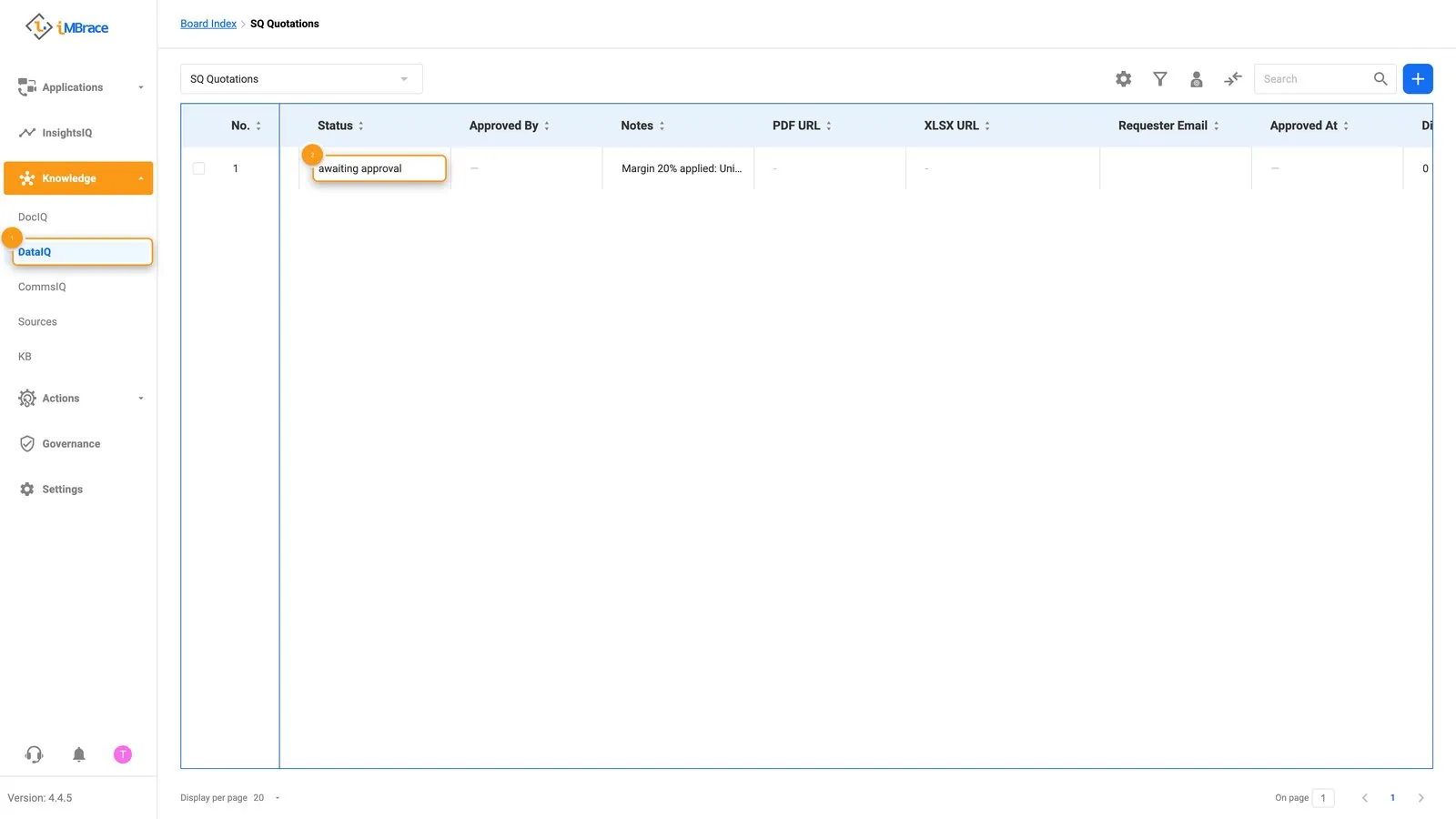 1 Knowledge > DataIQ in the sidebar. 2 The quotation’s own status: awaiting approval.
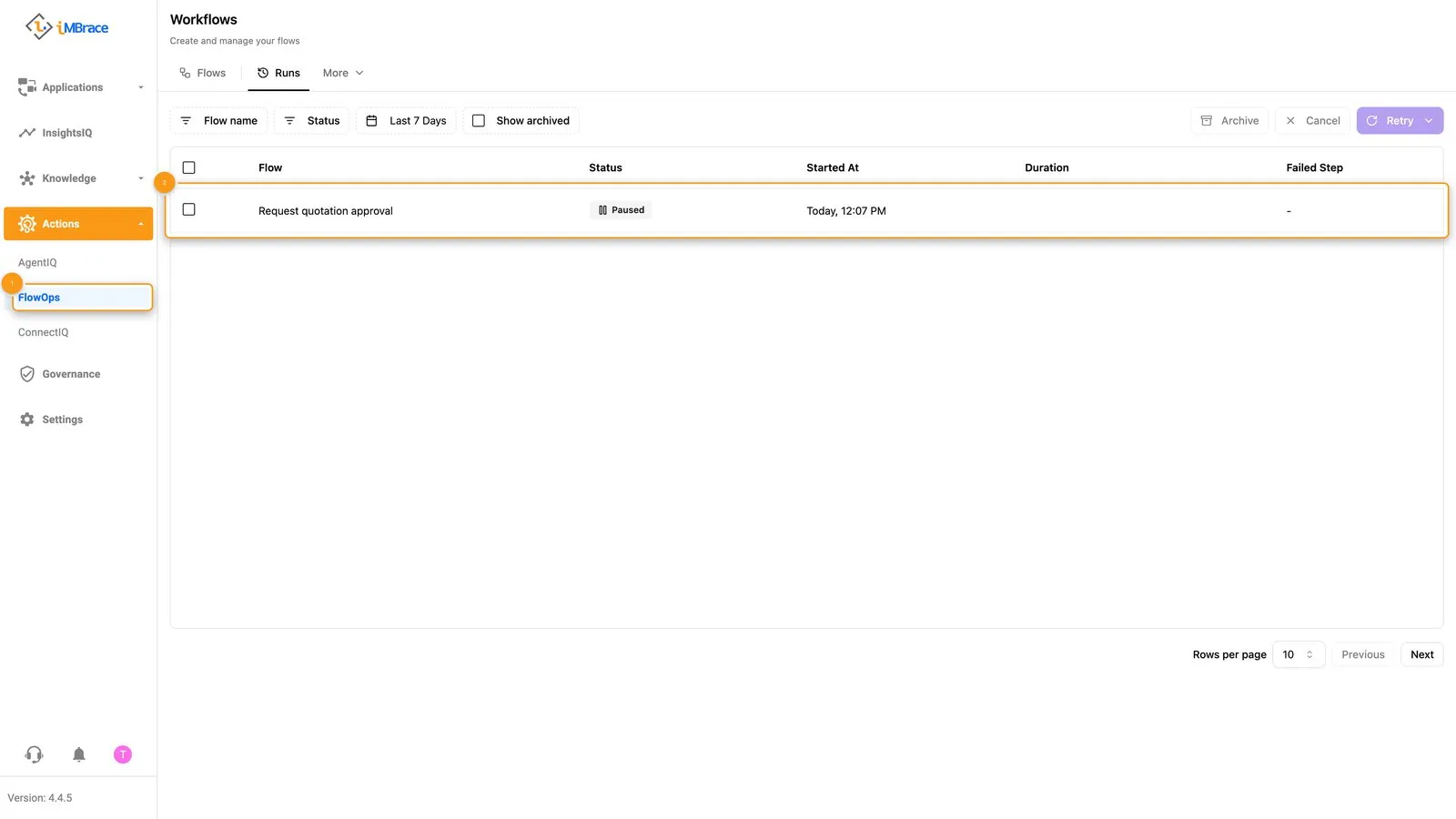 1 Actions > FlowOps in the sidebar. 2 The quotation’s run, marked Paused: it is waiting for the manager.
- The manager gets an email. It is a card with everything needed to decide - the customer, the lines, the discount, the margin, the total and the policy floor - and two buttons, Approve and Reject.
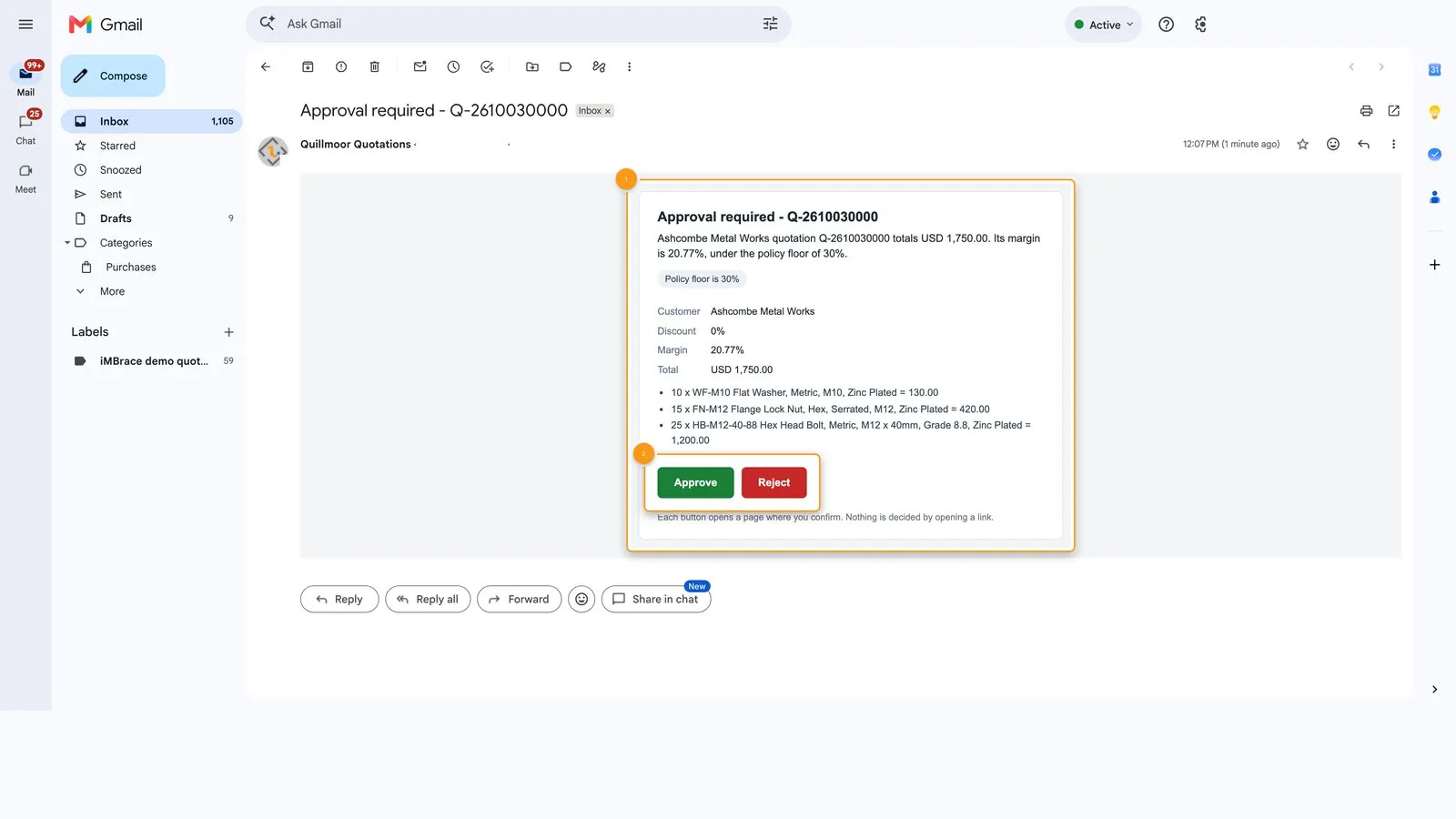 1 The card: the customer, discount, margin, total and policy floor. 2 The Approve and Reject buttons.
- Each button opens a page that shows the choice. Opening it decides nothing; only the page’s Confirm button records the decision. Once one answer is confirmed, the other button stops working, so a quotation gets one answer.
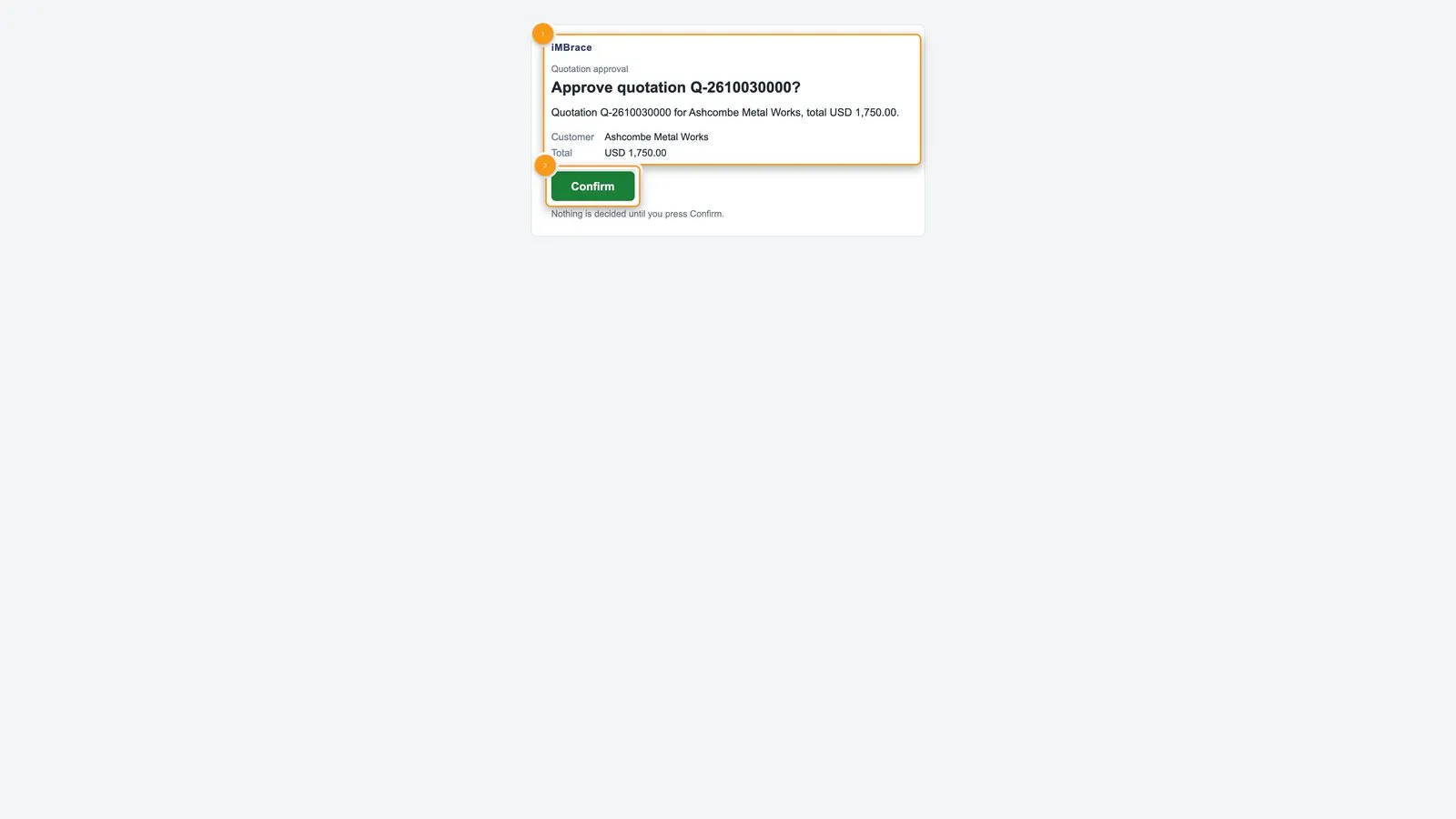 1 The choice and the quotation it applies to. 2 The Confirm button: nothing is decided until it is pressed.
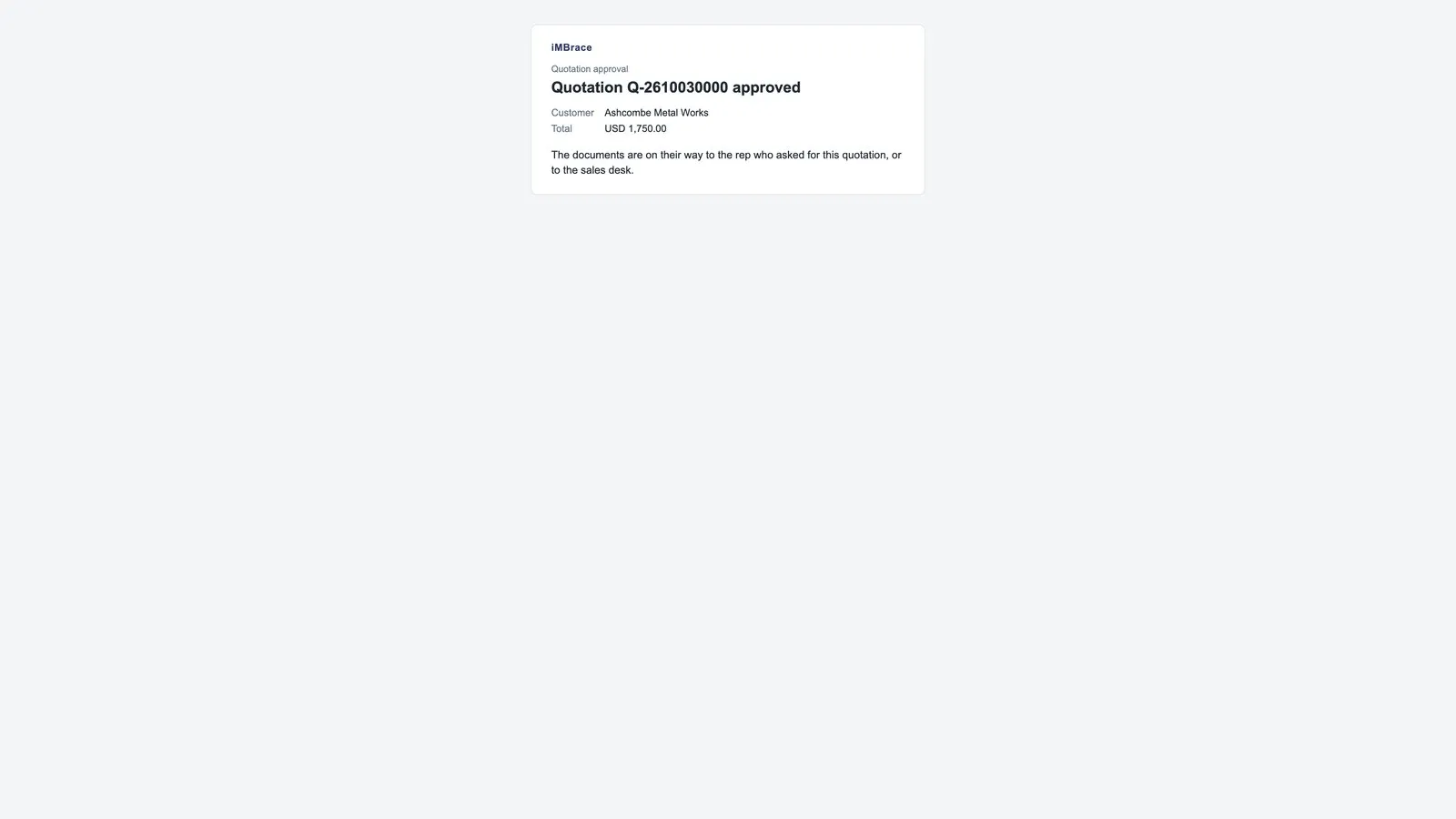 The page after Confirm: the quotation is approved and the documents are on their way to the person who asked.
- The same run picks up where it stopped. The platform records who approved and when - Approved By and Approved At, which the agent cannot write - then composes the PDF and the Excel file and emails them to the person who asked, or to the sales desk when no address was given.
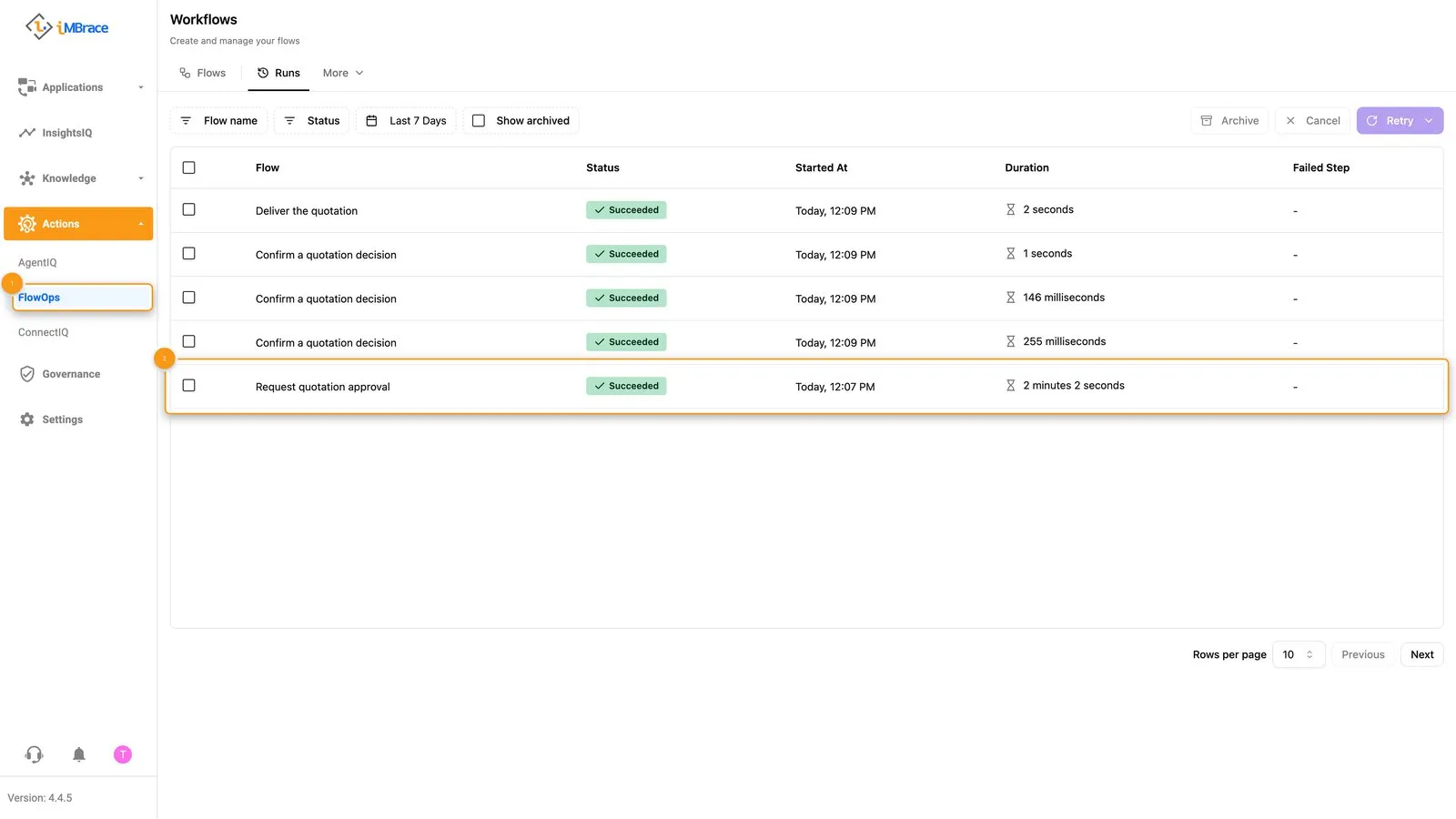 1 Actions > FlowOps in the sidebar. 2 The same run, now Succeeded: it picked up where it waited and finished.
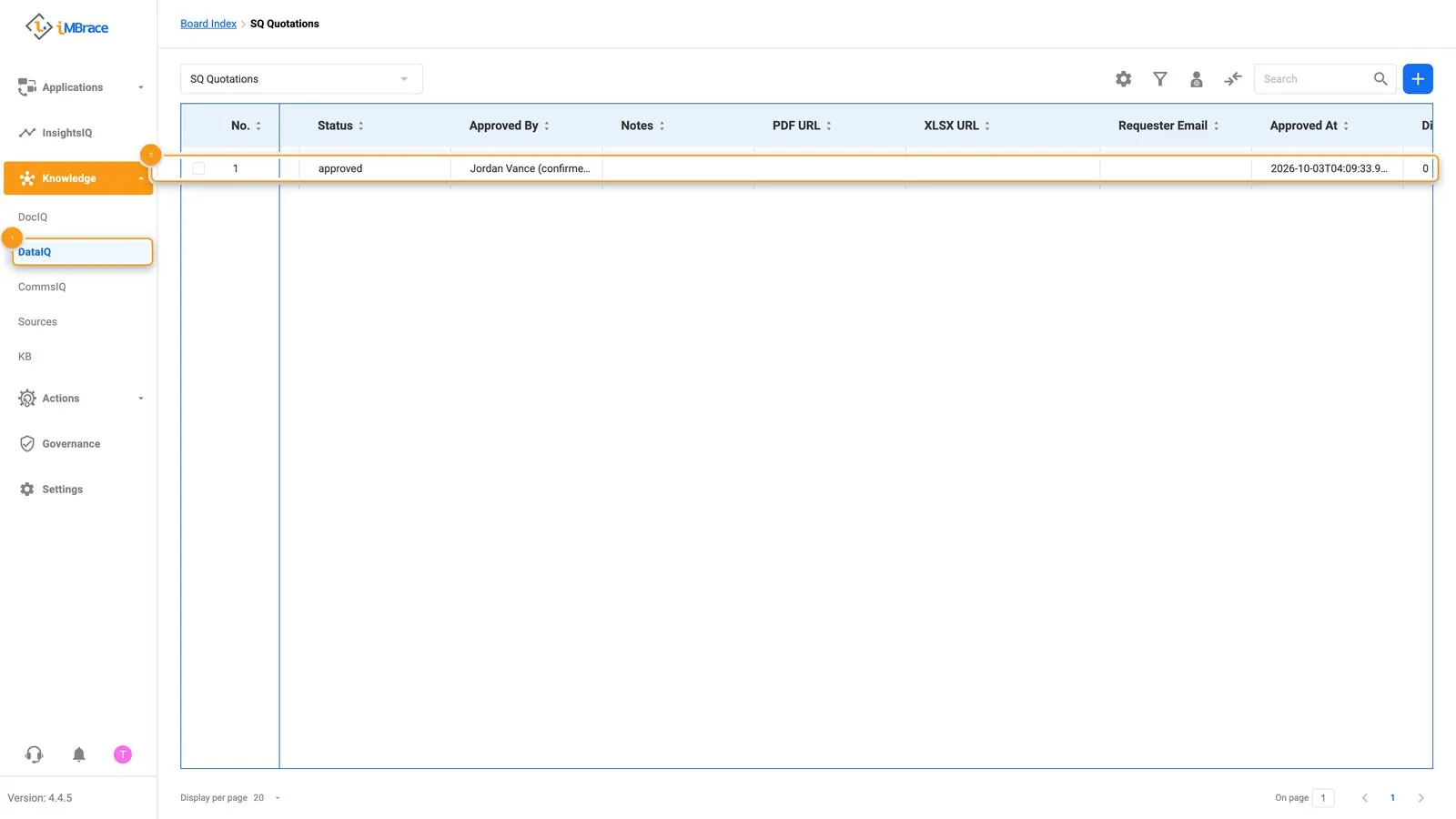 1 Knowledge > DataIQ in the sidebar. 2 The quotation’s row: status approved, with Approved By and Approved At filled in.
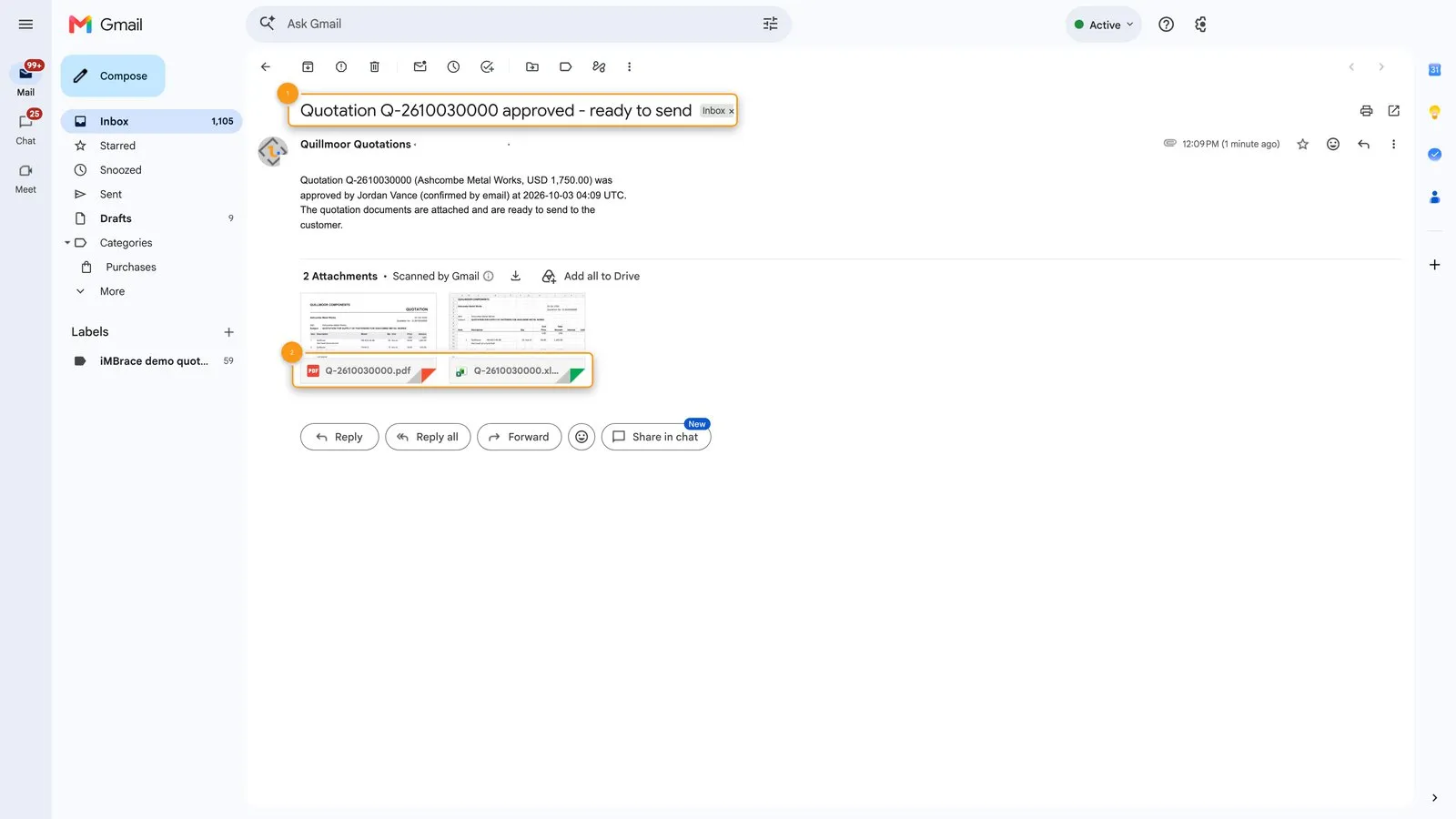 1 The email telling the requester the quotation is approved and ready to send. 2 The two attachments, the PDF and the Excel file.
If the manager presses Reject instead, the rejection is recorded, no documents are made and the person who asked is told.
Where people decide
A quotation whose margin is under the floor waits for a manager before anything goes out. It sits there because a discount the rule does not already allow should always be a person’s decision, checked the same way every time by iMBrace itself, rather than left to memory.
The manager decides from where they already work: their inbox, with the facts and the two buttons in front of them. Until they answer, nothing goes out. If nobody answers, the quotation stays paused and visible, on its board and in FlowOps, and no document is sent. When they do answer, the same run resumes - it does not start again - and finishes the job.
That is what this use case shows: iMBrace holds the run’s place while a person decides, and picks it up when they answer. What the run works with is people, messages and documents - a manager, an email and a finished quotation.
What you can change without code
The rule a quotation is checked against, and everything Quillmoor sells, are both rows on a board.
| Row | What it controls |
|---|---|
| Each rule on the SQ Pricing Rules board | The margin Quillmoor expects, and the margin floor below which a manager has to approve. |
| Each product on the SQ Catalogue board | What Quillmoor sells, and at what price. |
| Each line on the SQ Terms board | The wording that appears on every quotation, such as validity, delivery and payment. |
Change a row, and the next quotation written reads the update - no rebuild needed.
Try it
If you are a partner, your practice organisation arrives with Sales Quoting already installed, using Quillmoor Components’ catalogue and pricing rules, and the demo script in your partner kit walks you through running it live, from the first request, through the manager’s approval by email, to the finished quotation in the requester’s inbox. Anyone else can ask their iMBrace contact to see it running on an organisation of their own.